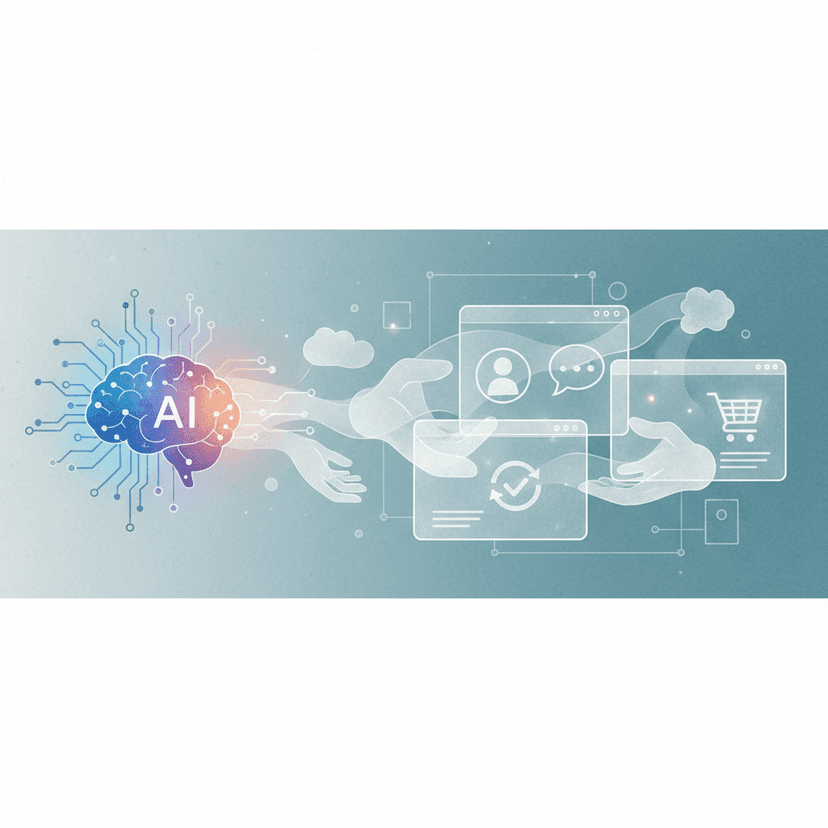
AI Agent Personal Assistant: Your 24/7 Intelligent Productivity Partner
Discover how AI agent personal assistants transform productivity by autonomously managing tasks, learning your preferences, and executing complex workflows without constant supervision.

An AI agent personal assistant handles the email triage, scheduling, follow-ups and research that eat hours of your week — and it does so without waiting for instructions. Unlike a chatbot that answers one prompt at a time, an agentic assistant monitors your inbox and calendar, decides what needs doing inside rules you set, and completes multi-step work on its own. This guide covers how these assistants work, what they cost in 2026, which tasks to delegate first, and where they still fall short.
What is an AI Agent Personal Assistant?
An AI agent personal assistant is an autonomous AI system that manages tasks, schedules, communications, and workflows on your behalf. Built on large language models and equipped with tool-calling capabilities, these agents don't just respond to commands — they proactively anticipate needs, make decisions within defined parameters, and execute multi-step processes without human intervention.
Think of it as the difference between a chatbot that answers questions and a trusted assistant who knows when to book your meetings, draft emails, research topics, and coordinate with your team before you even ask. For a deeper look at this chief-of-staff pattern, see our guide to the AI personal assistant agent.
Why AI Agent Personal Assistants Matter
Traditional productivity tools make you more efficient. AI agent personal assistants give you time back.
Knowledge workers spend about 28% of the workweek reading and answering email, and another 19% searching for information, according to the McKinsey Global Institute — close to half the week gone before any real work begins. An AI agent personal assistant can:
- Automate routine workflows — Email triage, calendar management, meeting preparation
- Learn your patterns — Understand your communication style, priorities, and decision-making preferences
- Operate autonomously — Handle tasks end-to-end without constant supervision
- Scale your impact — Free up hours per week for high-value strategic work

How AI Agent Personal Assistants Work
Autonomous Task Execution
Unlike traditional AI assistants that wait for commands, AI agent personal assistants:
- Monitor your environment — Scan emails, calendars, project management tools
- Identify actionable items — Recognize tasks that match predefined workflows
- Execute independently — Draft responses, schedule meetings, create documents
- Report back — Summarize actions taken and request approval only when needed
For example, when you receive a meeting request, your AI agent can:
- Check your calendar for availability
- Propose alternative times if there's a conflict
- Add the meeting with a generated agenda based on the email thread
- Send pre-meeting briefings to all participants
Personalization Through Learning
The best AI agent personal assistants improve over time by:
- Analyzing your decisions — Learning which meetings you prioritize, how you respond to different types of emails
- Adapting communication style — Matching your tone, formality level, and signature phrases
- Refining workflows — Identifying patterns in how you handle recurring tasks
This creates a genuinely personalized experience rather than generic automation.
Integration Across Tools
Modern AI agent personal assistants connect to your entire productivity stack:
- Email (Gmail, Outlook) — Triage, drafting, follow-ups
- Calendar (Google Calendar, Outlook) — Scheduling, conflict resolution
- Communication (Slack, Teams, WhatsApp) — Message prioritization, status updates
- Project Management (Notion, Asana, Jira) — Task creation, status tracking
- Documents (Google Docs, Word) — Meeting notes, report generation
The power comes from coordinating actions across these platforms — not just automating within silos.
What an AI Agent Personal Assistant Costs in 2026
The market has settled into three tiers, and current pricing comparisons put real numbers on each:
- Calendar specialists — Reclaim AI has a genuinely useful free tier, with paid plans from about $8–10 per user per month; Motion starts at $19 per seat per month for AI task scheduling. These defend your calendar but never touch your inbox.
- General assistants — ChatGPT Plus, Claude Pro, Copilot Pro and Google's AI plans all sit around $20 per month. They draft, summarize and research well, but they wait for prompts — nothing runs autonomously.
- Autonomous agent platforms — Lindy and similar tools that run multi-step workflows in the background start around $30–50 per month, usually with credit-based limits that a busy inbox can exhaust mid-month.
For comparison, human virtual assistants typically charge $15 to $40 per hour, so even a $50-per-month agent stack pays for itself if it reliably saves one hour a week. Most professionals land in the $20–50 per month band and only move up when the agent demonstrably saves hours each week.
AI Agent Personal Assistant Best Practices
Start with High-Volume, Low-Risk Tasks
Begin by delegating repetitive tasks with clear decision rules:
- Email categorization and labeling
- Meeting scheduling within defined parameters
- Routine status updates and acknowledgments
As you build trust, expand to more complex workflows like research synthesis and stakeholder communication.
Define Clear Boundaries
Specify what your AI agent can decide independently vs. what requires approval:
- Autonomous: Schedule internal meetings, file emails, set reminders
- Approval required: Send external communications, make financial commitments, share confidential information
Review and Refine Regularly
Set aside time weekly to:
- Review actions taken by your AI agent
- Provide feedback on decisions
- Update workflows based on changing priorities
Most AI agent personal assistants improve through active feedback loops — the more you guide them, the better they perform. If you end up running more than one agent, the same discipline applies at team level: our guides to AI agent orchestration best practices and agent monitoring and observability cover how to keep autonomous systems accountable in production.
A 30-Day Rollout Plan
Week 1 — Pick one workflow. Choose the highest-volume, lowest-risk task: email labeling, meeting scheduling, or meeting-notes summarization. Connect only the tools that workflow needs — nothing else.
Week 2 — Run in draft mode. Have the agent prepare outputs (draft replies, proposed meeting times) but send nothing autonomously. Review every action daily and correct mistakes explicitly; this feedback is what shapes the agent's behavior.
Week 3 — Grant narrow autonomy. Let the agent act alone on that one workflow, inside hard limits: internal meetings only, no external email, no purchases. Keep a daily summary of its actions in your inbox.
Week 4 — Measure and expand. Count hours saved and errors made. If the error rate is near zero, add a second workflow. If not, tighten the rules before adding anything.
Teams that skip the draft-mode weeks are the ones that end up with an agent confidently sending the wrong thing to a client.
Common Mistakes to Avoid
Over-automating too quickly — Delegating complex, high-stakes tasks before your AI agent has learned your preferences can create more work than it saves.
Ignoring security and privacy — Ensure your AI agent personal assistant follows data protection policies, especially when handling sensitive information.
Treating it like a chatbot — AI agents work best when given autonomy within defined workflows, not when micromanaged with individual commands.
Not setting communication expectations — Let colleagues know that some emails may be drafted or triaged by your AI agent to maintain transparency.
When an AI Agent Personal Assistant Is the Wrong Choice
- Your workload is already small. If you get 20 emails a day, manual triage is faster than configuring and supervising an agent.
- Your work is mostly judgment calls. Agents follow rules and patterns; they are poor at politically sensitive replies, negotiation, and anything where being wrong is expensive.
- Your data cannot leave controlled systems. If compliance forbids third-party access to your inbox or files, a cloud agent is a non-starter — you need a governed, possibly self-hosted deployment instead.
- You want it to replace thinking. An agent buys back time; it does not decide strategy, build relationships, or take responsibility. If the task requires accountability, a human stays on it.
Use Cases Across Industries
Executives and Founders — Manage overwhelming inboxes, coordinate cross-functional meetings, prepare for board meetings with research briefs.
Sales Professionals — Automate follow-ups, schedule demos, prepare client-specific proposals based on CRM data.
Consultants and Freelancers — Handle client communications, track project deadlines, generate invoices and status reports.
Researchers and Analysts — Monitor industry news, summarize reports, coordinate collaboration across time zones.
The Future of AI Agent Personal Assistants
We're moving beyond automation toward genuine augmentation. Next-generation AI agent personal assistants will:
- Negotiate on your behalf — Coordinate schedules with other AI agents to find optimal meeting times
- Proactive problem-solving — Identify bottlenecks in your workflows and suggest improvements
- Multimodal capabilities — Process voice notes, screenshots, and documents to understand context better
The goal isn't to replace human judgment — it's to eliminate the administrative overhead that prevents you from applying it.
Frequently asked questions
Is an AI agent personal assistant the same as ChatGPT or Claude? No. Chatbots respond when you ask; an agentic personal assistant runs in the background, monitors your tools, and completes multi-step tasks on its own. Many agents use models like GPT or Claude underneath, but the agent layer adds memory, tool access and autonomous execution.
How much does an AI agent personal assistant cost? Capable calendar tools start free, general assistants run about $20 per month, and autonomous agent platforms start around $30–50 per month. A human virtual assistant costs $15–40 per hour, so the break-even point is only a few saved hours per month.
Is it safe to give an AI agent access to my email and calendar? It depends on the guardrails. Start with read-and-draft permissions, keep external sending behind approval, and check the vendor's data-retention and security posture. For regulated industries, use enterprise tiers with audit logs or a governed private deployment.
Will it replace a human executive assistant? For scheduling, triage and routine follow-ups, largely yes. For stakeholder management, judgment under ambiguity and anything requiring accountability, no. Most professionals end up with an agent handling the volume and humans handling the exceptions.
How long until an AI agent personal assistant is actually useful? Expect two to four weeks of supervised operation before you can trust it with autonomy. The setup and feedback you invest in the first month determine whether it saves time or creates cleanup work.
Where to Go From Here
If you want a personal assistant built around your business rather than a generic app, the shortest path is an AI employee configured for your exact workflows — inbox, calendar, CRM and reporting — with approval rules you control. If your main need is automating routine processes across existing tools, our business automation work is usually the right starting point.
About AI Agents Plus Editorial
AI automation expert and thought leader in business transformation through artificial intelligence.