Pressure Washing Website Design: Convert Visitors to Leads
Create a high-converting pressure washing website with customizable templates, automated forms, and lead capture tools. Professional design made simple.
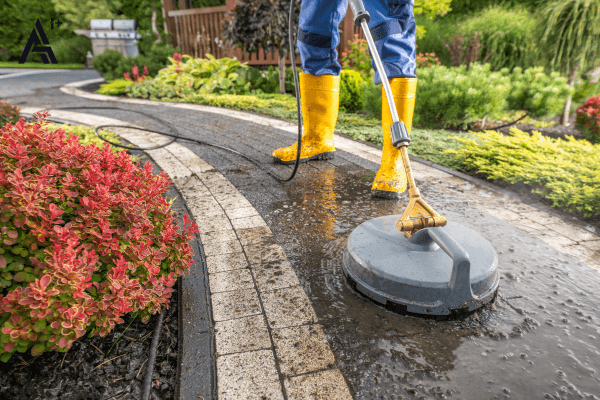
If you are evaluating Pressure Washing Website Design, this guide breaks down what works and how to implement it effectively.
Your pressure washing website has one job: convert visitors into paying customers. Yet most pressure washing businesses operate with websites that do the exact opposite—confusing prospects with cluttered layouts, burying contact information three clicks deep, loading slowly on mobile devices, and presenting generic information that fails to compel action. You're spending money driving traffic to a digital brochure that informs but doesn't convert. The harsh reality is that you have approximately 3-5 seconds to capture a visitor's attention before they hit the back button and call your competitor instead. In those critical seconds, your website must communicate what you do, why you're different, and make taking the next step effortless. Most pressure washing websites fail this test spectacularly, wasting thousands of dollars in advertising sending traffic to conversion-killing designs. Professional pressure washing website design isn't about pretty pictures and fancy animations—it's about strategic layouts, psychological triggers, and friction-free conversion paths that transform curious visitors into booked appointments. In this comprehensive guide, we'll reveal the exact design principles, essential elements, and conversion tactics that separate high-performing pressure washing websites from the 95% that underperform. The Critical Elements of High-Converting Power Washing Web Design Effective service business websites share fundamental elements that work together to maximize conversion. Understanding these components is essential before designing or redesigning your site: Above-the-Fold Hero Section: The top portion of your homepage visible without scrolling is prime real estate determining whether visitors stay or leave. This section must include:
Compelling Headline: Not "Welcome to [Company Name]" but "Transform Your Property in Hours—Professional Pressure Washing Starting at $149." The headline should communicate your value proposition instantly. Dramatic Visual: A stunning before-after image showing the most impressive transformation you've achieved. Visual proof speaks louder than any written claims. Clear Call-to-Action: A prominently displayed button: "Get Free Quote," "Book Now," or "Call Us Today" with your phone number as a clickable link. The action you want visitors to take must be obvious and effortless. Trust Indicators: Star rating with review count, years in business, or certification badges. These elements immediately build credibility with skeptical visitors.
Mobile-First Responsive Design: Over 75% of pressure washing searches happen on smartphones, yet many websites remain desktop-optimized nightmares on mobile. Mobile-responsive design ensures:
Text is readable without zooming Buttons are large enough for thumbs (minimum 44px height) Page loads quickly on cellular connections Click-to-call functionality works seamlessly Forms are easy to complete on small screens Images scale appropriately for different devices
Your website must look professional and function flawlessly on iPhones, Android devices, tablets, and desktops. Test extensively on actual mobile devices, not just responsive design preview tools. Strategic Social Proof: Reviews, testimonials, and case studies strategically placed throughout your site overcome the natural skepticism prospects feel about service providers. Effective social proof includes:
Google review count and average rating prominently displayed Specific testimonials with names and neighborhoods (not anonymous generic praise) Before-after galleries showcasing dramatic transformations Video testimonials from actual customers (when available) Recognition badges (Best of [City], Top Rated, etc.)
Place social proof near conversion points—just above contact forms or booking buttons—to provide final reassurance before prospects commit. Service-Specific Pages: Generic "Services" pages that list everything you do with one-paragraph descriptions underperform dramatically. Create dedicated pages for each major service:
Driveway & Sidewalk Cleaning House Washing & Siding Cleaning Deck & Fence Restoration Roof Cleaning Commercial Pressure Washing
Each page should include: service-specific benefits, process explanation, pricing guidance (ranges or starting prices), relevant before-after images, service-specific testimonials, and clear calls-to-action. This specificity improves both SEO and conversion. Transparent Pricing Information: While exact quotes require property assessment, complete pricing opacity creates anxiety. Provide pricing context:
Starting prices: "Driveway cleaning starting at $149" Average ranges: "Most residential properties: $300-$600" Pricing factors explained: "Final cost depends on square footage, surface condition, and accessibility"
This transparency qualifies prospects (those with $50 budgets self-select out) while building trust with those who appreciate honesty. Conversion-Optimized Contact Forms: Traditional contact forms with 10 fields kill conversion. Optimize by:
Minimizing required fields (name, phone, email, service interest) Using dropdowns instead of text fields when possible Implementing autofill-friendly field names Avoiding CAPTCHAs unless spam is overwhelming Providing multiple conversion options (form, phone, chat, scheduling)
Every additional field decreases form completion rates by 5-10%. Ask only for information absolutely essential at this stage. Trust-Building About Section: Prospects want to know who they're inviting to their property. Your about section should include:
Owner/team photos (real photos, not stock images) Local business credentials (how long serving the area) Personal story connecting you to the community Licensing, insurance, and certification information Your guarantee or service promise
This personal connection transforms you from faceless contractor to trusted local business owner. Common Pressure Washing Website Design Mistakes Even with good intentions, most pressure washing websites suffer from critical design flaws that sabotage conversion: Cluttered Navigation Menus: Dropdown menus with 15+ options create decision paralysis. Simplify to essential pages: Services, Gallery, Reviews, About, Contact. Remove or consolidate everything else. Every additional navigation option dilutes focus from your primary conversion goal. Slow Loading Speeds: If your site takes 5+ seconds to load, 40% of visitors abandon before seeing anything. Common causes include:
Uncompressed high-resolution images Excessive JavaScript and plugins Poor hosting quality Unoptimized code
Test your site speed using Google PageSpeed Insights and address flagged issues. Speed directly impacts conversion rates and SEO rankings. Buried Contact Information: If visitors must click through multiple pages to find your phone number or contact form, you're losing leads. Display phone number prominently on every page (ideally in header and footer). Include multiple contact options for different preferences. Generic Stock Photography: Stock images of models pretending to be contractors destroy authenticity. Use real photos of your actual team, equipment, and completed projects. Authenticity builds trust; stock photos signal you're hiding something. Auto-Playing Videos: Videos that play automatically with sound are universally hated. They startle visitors, consume mobile data, and feel aggressive. Include videos but let users control when they play. Popup Overload: Immediate popups before visitors have seen any content are annoying. If you use popups, delay them (minimum 10-15 seconds) or trigger them on exit intent. Respect visitor experience while still employing conversion tools. Missing Calls-to-Action: Some websites beautifully showcase work but never clearly tell visitors what to do next. Every page should include clear, prominent calls-to-action guiding visitors toward booking or contacting you. Desktop-Only Optimization: Websites that look great on 27-inch monitors but break on phones fail 75% of your potential customers. Always design mobile-first, then scale up to desktop rather than the reverse. Thin, Duplicate Content: Pages with 2-3 sentences of generic text don't provide value to visitors or search engines. Each page should offer substantial, unique content that educates prospects and demonstrates expertise. Essential Pages for Branded Cleaning Sites Beyond basic structure, comprehensive pressure washing websites include specific pages that address prospect questions, build trust, and improve SEO: Homepage: Your digital front door must immediately communicate your value proposition, showcase your best work, build credibility, and guide visitors toward conversion. Include: compelling headline, hero image (before-after), clear CTA, service overview with links to detailed pages, social proof section, about preview, and service area information. Service Pages (One Per Major Service): Dedicated pages for each service improve SEO and conversion by addressing specific prospect needs. Each should include: service-specific benefits, detailed process explanation, typical pricing guidance, before-after galleries, relevant testimonials, frequently asked questions, and clear booking CTA. Gallery/Portfolio Page: Visual proof organized by service type or property type. Include:
High-quality before-after image pairs Captions with context (property type, specific challenge, solution) Filters allowing visitors to view relevant transformations Dates showing recent work (not 5-year-old photos)
Reviews/Testimonials Page: Consolidate social proof demonstrating consistent quality. Feature:
Google review widget showing rating and count Detailed written testimonials with names and locations Video testimonials (powerful trust builders) Review platform links (Google, Facebook, Yelp)
About Us Page: Humanize your business and build personal connection. Include:
Owner/team photos and backgrounds Company history and local connection Values and service commitment Licensing, insurance, and certifications Community involvement
Service Area Page: Clarify where you operate and improve local SEO. List:
Primary service cities and neighborhoods Geographic boundaries Travel fee information if applicable Map showing coverage area
FAQ Page: Address common questions preemptively, reducing friction and support burden:
Pricing questions (how you calculate, payment methods, financing) Process questions (duration, what to expect, preparation needed) Safety questions (chemicals used, pet/child safety, property protection) Scheduling questions (lead times, cancellation policies, weather delays)
Blog/Resources: Educational content builds expertise authority and improves SEO:
"How Often Should You Pressure Wash Your Driveway?" "DIY vs. Professional: What You Need to Know" "Seasonal Maintenance Guide for [City] Homeowners" "The Truth About Pressure Washing and Property Damage"
Regular blog content attracts search traffic, positions you as expert, and provides value beyond just service promotion. Lead Capture Forms That Convert The form is where visitors become leads—yet most forms are conversion killers. Here's how to design lead capture forms that maximize completion: Minimize Required Fields: Every field you add reduces completion rates. Essential fields only:
Name (first name only acceptable) Phone number (primary contact method) Email (backup contact) Service interest (dropdown menu) Optional: Address (if needed for instant quotes) Optional: Message/details box
That's it. You can gather additional information during phone conversations. Forms asking for property size, budget ranges, preferred times, and extensive project details see completion rates plummet. Use Smart Field Labels: Instead of "Name" use "Your Name." Instead of "Email" use "Your Email Address." This small change increases perceived personalization and form completion. Implement Progressive Profiling: For returning visitors, hide fields you've already collected. This reduces form friction for people engaging multiple times. Provide Multiple Conversion Paths: Not everyone likes forms. Offer alternatives:
Click-to-call buttons for immediate phone contact SMS/text options for quick questions Live chat for instant answers Online scheduling calendar for self-service booking
Different prospects prefer different communication methods. Accommodate them all. Show Immediate Value: Above your form, clearly state what happens next: "Get Your Free Quote in 3 Easy Steps:
Fill out this quick form (takes 60 seconds) We'll call within 30 minutes during business hours Schedule your property transformation"
This transparency reduces form anxiety and increases completion. Eliminate CAPTCHAs When Possible: While spam prevention is important, CAPTCHAs significantly reduce form submissions (up to 30%). Use honeypot fields (invisible fields that bots fill but humans don't) or modern invisible reCAPTCHA instead of traditional image puzzles. Mobile Optimization: On mobile devices, forms require special attention:
Large, thumb-friendly input fields Appropriate input types (tel for phone, email for email) Autofill support for faster completion Minimal typing required Submit buttons clearly visible without scrolling
Confirmation and Follow-Up: After form submission, redirect to a confirmation page that:
Thanks them for their request Sets expectations for callback timing Provides immediate additional value (educational content, special offer) Includes social proof reinforcing their decision Offers alternative contact methods if they're impatient
Deploy automated confirmation emails within 60 seconds of submission, including all details they provided and expected next steps. Contractor Website Templates vs. Custom Design When building your pressure washing website, you'll choose between template-based platforms and custom development. Understanding tradeoffs helps you decide: Template-Based Platforms (WordPress, Wix, Squarespace): Advantages:
Lower upfront cost ($500-$2,000 vs. $5,000-$15,000 for custom) Faster launch (days vs. weeks/months) User-friendly editing (you can update content without developer) Proven layouts optimized for conversion Built-in responsive design Regular security updates
Disadvantages:
Less unique (others use similar templates) Potential functionality limitations Monthly platform fees Can feel generic without customization
Best for: Most small to medium pressure washing businesses. Modern templates are sophisticated enough for excellent results when properly customized. Custom Development: Advantages:
Completely unique design Unlimited functionality possibilities No platform fees (just hosting) Full control over everything
Disadvantages:
Significantly higher cost Longer development timelines Requires technical knowledge for updates Ongoing maintenance responsibility No guaranteed conversion optimization
Best for: Large pressure washing operations with complex needs, unique requirements, or substantial budgets. The Practical Reality: For 90% of pressure washing businesses, professionally customized templates deliver 95% of the results at 20% of the cost of custom development. The incremental benefit of custom rarely justifies the exponentially higher investment. What to Look for in Templates:
Industry-specific designs (contractor/service business focused) Proven conversion optimization Built-in mobile responsiveness Easy customization options Integrated booking/scheduling capabilities SEO-friendly structure Fast loading speeds Before-after gallery capabilities
Many template platforms now offer pressure-washing-specific themes designed specifically for service contractors, incorporating best practices and conversion-optimized layouts out of the box. SEO Fundamentals for Service Business Websites Your beautiful website means nothing if prospects can't find it. Essential SEO elements include: Local SEO Optimization:
Google Business Profile fully optimized and linked to website NAP (Name, Address, Phone) consistency across all online listings Location-specific content throughout site City/neighborhood names in page titles and content Embedded Google Map on contact page Local business schema markup
On-Page SEO Basics:
Descriptive page titles (60 characters max): "Driveway Cleaning [City] | Professional Pressure Washing | [Company]" Meta descriptions (155 characters max) compelling prospects to click Header tags (H1, H2, H3) organizing content logically Alt text for all images describing what they show Internal linking between related pages URL structure: clean, descriptive URLs (yoursite.com/driveway-cleaning not yoursite.com/services?id=47)
Content Strategy:
Service pages with substantial content (500+ words per page) Blog posts targeting local search queries FAQ content answering common questions Location pages for each service area Regular content updates (search engines favor fresh content)
Technical SEO:
Mobile-friendly design (Google's mobile-first indexing) Fast loading speeds (Core Web Vitals matter) SSL certificate (HTTPS, not HTTP) XML sitemap submitted to Google Search Console Clean code structure No broken links or 404 errors
Link Building:
Local directory listings (Yelp, Angi, HomeAdvisor) Chamber of Commerce membership links Local partnerships and sponsorships Content marketing attracting natural backlinks Guest posting on local blogs/news sites
Strong local SEO means appearing when prospects search "pressure washing near me" or "driveway cleaning [city]"—the highest-intent, most valuable searches. Conversion Rate Optimization Tactics Once your website has strong foundations, conversion rate optimization tactics multiply lead generation without increasing traffic: Strategic Button Placement: Place call-to-action buttons in multiple locations:
Above the fold on homepage After service descriptions Following before-after galleries At end of blog posts In website footer on every page
Don't make visitors hunt for how to contact you. Color Psychology: Use contrasting colors for CTA buttons that stand out from the rest of your design. Orange, red, and green typically outperform blue and purple for action buttons. Test different colors to see what resonates with your audience. Social Proof Positioning: Place testimonials and reviews immediately before contact forms. Prospects who see social proof right before committing convert at higher rates than those who don't. Exit Intent Popups: When visitors move their cursor to close the tab, trigger a final offer: "Wait! Get 15% Off Your First Service" or "Don't Leave Without Your Free Quote." These popups can recover 10-15% of abandoning visitors. Chat Widgets: Live chat or chatbot functionality captures leads who prefer instant answers over phone calls or forms. Modern chatbots can qualify leads, schedule appointments, and answer common questions automatically. Countdown Timers: For limited-time offers, countdown timers create urgency: "Spring Special Ends in 2 Days, 14 Hours." This motivates action rather than procrastination. Trust Badges: Security badges, guarantee seals, and certification logos increase conversions by reducing perceived risk. Place these near forms and payment information. Video Integration: Embedding videos increases conversions 80%+ compared to text-only pages. Include:
Homepage introduction video (1-2 minutes) Service demonstration videos Customer testimonial videos Before-after transformation time-lapses
Simplified Navigation: Reduce navigation menu items to 5-7 essentials. Hide less important pages in footer links. Fewer options increases focus on conversion paths. Heat Mapping Analysis: Install heat mapping tools (Hotjar, Crazy Egg) to see where users click, how far they scroll, and where they abandon. This data reveals optimization opportunities invisible in analytics. Real-World Results: What Professional Design Delivers The impact of implementing strategic pressure washing website design extends far beyond aesthetics. Companies who invest in conversion-optimized websites consistently report dramatic improvements: Lead Generation Multiplication: A Florida pressure washing company redesigned their outdated website using conversion best practices. Website leads increased 340% with the same traffic volume—their conversion rate jumped from 1.8% to 7.9%. Same advertising budget, triple the leads. Cost Per Lead Reduction: A Georgia operator calculated that improved website conversion reduced their cost per lead from $94 to $31. By converting more visitors from the same traffic, each lead cost 67% less to acquire, dramatically improving marketing ROI. Higher Quality Leads: One Texas business found that leads from their redesigned website (with transparent pricing and detailed service information) closed at 43% versus 26% for leads from their old generic site. Better information attracted better-qualified prospects. Mobile Lead Capture: After implementing mobile-first responsive design, a California pressure washing company discovered that mobile conversions increased 480%. Their old desktop-focused site had been invisible losing the 75% of prospects searching on phones. Improved Search Rankings: Local SEO optimization combined with quality content helped one North Carolina business climb from page 3 to top 3 positions for "pressure washing [city]" searches. Organic traffic increased 560% over 18 months, reducing paid advertising dependence. Faster Sales Cycles: With comprehensive service information, FAQs, and transparent pricing on their website, one operator reduced time from lead to booked job from 5.2 days to 1.8 days. Educated prospects made decisions faster with less back-and-forth. Building or Redesigning Your Website: Action Plan Ready to create a pressure washing website that actually converts? Here's a practical implementation roadmap: Phase 1: Planning (Week 1)
Audit your current website (if you have one) identifying weaknesses Research competitor websites noting what works and what doesn't Gather your best before-after photos and testimonials Define your unique value proposition Outline your service offerings and target customers
Phase 2: Platform Selection (Week 1-2)
Choose between template platform or custom development Select specific template if using platform approach Secure domain name and hosting Set up necessary accounts (email, analytics, etc.)
Phase 3: Content Creation (Week 2-3)
Write compelling copy for all pages (or hire copywriter) Organize before-after photo gallery Record introduction video (optional but valuable) Compile customer testimonials Create service-specific content
Phase 4: Design and Build (Week 3-5)
Customize template or begin custom development Implement mobile-responsive design Create conversion-optimized forms Set up contact methods (phone, email, chat) Optimize images for fast loading Implement SEO basics (titles, meta descriptions, headers)
Phase 5: Testing and Launch (Week 5-6)
Test on multiple devices and browsers Verify all forms and contact methods work Check page load speeds and optimize Proofread all content thoroughly Set up analytics tracking Submit sitemap to Google Launch publicly
Phase 6: Optimization (Ongoing)
Monitor analytics and conversion rates A/B test different headlines, CTAs, and layouts Add new content regularly (blog posts, gallery updates) Gather and display new testimonials Refine based on user behavior data
This timeline assumes DIY or working with a designer. Full custom development takes longer; simple template setups can be faster. The Foundation of Your Digital Presence Your website isn't a nice-to-have luxury—it's the foundation of your entire digital marketing strategy. Every dollar you spend on Google Ads, Facebook campaigns, SEO, and local marketing drives prospects to your website. If that website fails to convert visitors into leads, you're pouring money into a leaky bucket. The difference between a 2% converting website and a 10% converting website is dramatic: the same $1,000 advertising spend generates 5 times more leads from the better site. Over a year, that difference represents tens of thousands of dollars in revenue gained or lost based purely on website performance. In 2025, your website is your hardest-working employee. It operates 24/7, never takes vacations, answers questions instantly, showcases your work beautifully, and converts prospects into customers while you sleep. Investing in high-quality pressure washing website design isn't an expense—it's a profit multiplier that compounds returns on all your other marketing efforts. Ready to transform your website from digital brochure to lead generation machine? AI Agents Plus specializes in creating high-converting pressure washing websites that turn visitors into customers. Our service includes: conversion-optimized design using proven templates, mobile-responsive layouts that work flawlessly on all devices, strategic content creation highlighting your unique value, before-after gallery setup showcasing your best work, integrated booking and contact forms, local SEO optimization, and ongoing performance monitoring. We handle the complete process from strategy through launch while you focus on running jobs. Our websites consistently convert 3-5x better than generic contractor templates because we build specifically for conversion, not just aesthetics. Contact AI Agents Plus today to discover how professional website design can transform your lead generation, reduce your marketing costs, and position your pressure washing business for scalable growth. Your next 100 customers are searching online right now—make sure your website converts them.
Pressure Washing Website Design: Practical Implementation
Use Pressure Washing Website Design to remove repetitive tasks, improve response speed, and keep a clear handoff to your team for exceptions.
Related AI Services
If you need hands-on implementation, these services can help:
About Admin
AI automation expert and thought leader in business transformation through artificial intelligence.